Micro 45x20 mm & 50x25 mm Essential Oil & Serum Labels
Pack 36+ smudge-resistant micro-labels sized cleanly for 5 ml, 10 ml, and 30 ml amber dropper vials with room for crisp drop counts.
How to use the vial and essential oil label maker in 4 steps
Even though searches often ask for a 'vial label printer', any modern 600 DPI laser or inkjet printer handles miniature vials smoothly when grids lock exact dimensions.
Step 1: Choose a vial or dropper bottle size
Measure the straight cylinder between the neck crimp and the bottom curve—most 10 ml amber droppers have only ~28–32 mm of flat vertical wall.
Step 2: Add the product name and details
Keep copy concise: bold common name, Latin botanical name or cosmetic shade, volume in ml, and brief safety direction.
5 ml, 10 ml and 15 ml bottle sizes
Standard amber dropper vials wrap comfortably around 50 × 22 mm (5 ml), 60 × 28 mm (10 ml), and 70 × 35 mm (15 ml), depending on specific glass shoulders.
Tiny-text legibility settings
Stick to clean sans-serif type in solid black on bright matte white—skip thin light weights or textured grey backgrounds that fill in at tiny font sizes.
Step 3: Fit labels to the tiny surface
Choose a 55 × 25 mm or 63.5 × 28 mm wrap grid so ends meet neatly without climbing onto curved amber glass.
Step 4: Download the PDF and print
Export a pure vector PDF and print at 100% scale onto oil-proof matte vinyl or laser polyester label sheets.
Vial label printer: layouts and presets
Select a miniature format tuned cleanly for essential oil droppers, skincare serums, and sample tins—no specialty vial label printer required.
Essential oil bottle labels
Compact horizontal bands separate bold oil names (Lavender, Tea Tree) from botanical species, ml capacity, and neat dilution notes.
Name, blend and dilution
Ultra-compact 45 × 20 mm and 50 × 25 mm wrap grids pack up to 48 miniature vial strips cleanly onto a single sheet.
Best for aromatherapy sellers
Separate botanical or serum actives clearly from dilution ratios so tiny 10 ml rollers stay safe and effortless to identify.
Apothecary-style labels
Crisp hairline borders on cream, kraft, or matte white paper capture classic apothecary cabinet character cleanly on miniature flasks.
Vintage framed layout
Ultra-compact 45 × 20 mm and 50 × 25 mm wrap grids pack up to 48 miniature vial strips cleanly onto a single sheet.
Best for gifts and craft products
Separate botanical or serum actives clearly from dilution ratios so tiny 10 ml rollers stay safe and effortless to identify.
Cosmetic jar and vial labels
Neat rectangular and mini-disc cosmetic jar label templates fit 10 g lip balms, salve tins, serum vials, and sample compacts.
Small labels for creams and samples
Ultra-compact 45 × 20 mm and 50 × 25 mm wrap grids pack up to 48 miniature vial strips cleanly onto a single sheet.
Best for handmade cosmetics
Separate botanical or serum actives clearly from dilution ratios so tiny 10 ml rollers stay safe and effortless to identify.
— FREE INTERACTIVE SHEET GENERATOR —
Build & Download Your Vial Label Printer PDF
Configure paper size, margins, gutters, and crop marks in real time using the vial label printer workspace above—no account or watermark.
Label printer for essential oil bottles: paper size and print settings
Most makers searching for a label printer for essential oil bottles really need waterproof stock and exact 100% vector PDF scale rather than expensive hardware.
Page size and orientation
Print oil-bottle labels strictly onto BOPP vinyl, waterproof synthetic sheets, or laminated inkjets that resist citrus oils.
Using A4 or Letter label sheets
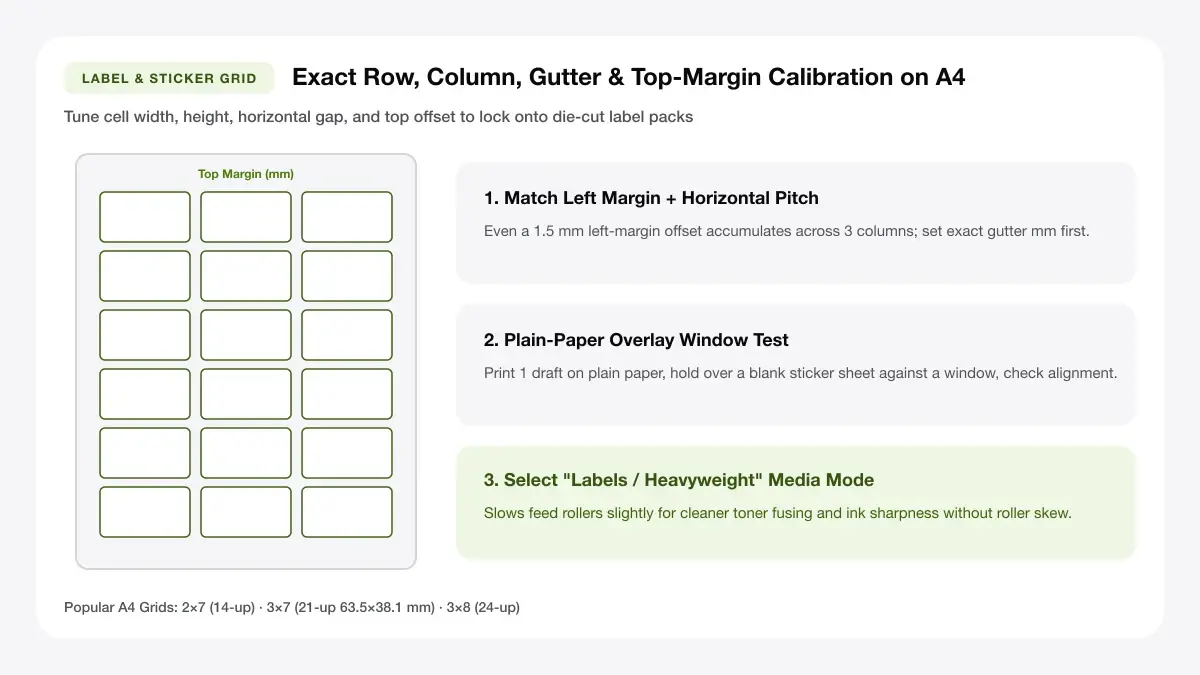
Tiny 20 mm tall strips require exact sheet tray registration—calibrate A4 vs Letter margins on plain paper first.
Scale, margins and bleed
Even 4% page shrinkage reduces tiny vial wraps short of overlapping seams or squeezes 6 pt oil warnings illegible.
Print at 100% or Actual Size
Verify 100% scale strictly so miniature wrap lengths hug 16 mm and 22 mm amber glass vial diameters cleanly.
Keep a safe margin
Keep tiny dilution percentages 2 mm inside trim edges—oil drips smudge uncoated ink near cut boundaries fast.
Apothecary bottle label template: recommended settings
Whether printing an apothecary bottle label template or miniature serums, disable photo enhancement/smoothing, select 100% Actual Size, and choose oil-resistant polyester or matte inkjet vinyl sealed with clear matte laminate.
Print quality and file format
Zero-blur vector PDF typography is indispensable when fitting ingredient warnings onto 10 ml essential oil rollers.
PDF versus JPG output
High-resolution vector PDFs render sharp botanical Latin names down to 5.5–6 pt without blurry pixel staircases.
Label printer for small bottles for everyday projects
Replacing dedicated label printer for small bottles hardware with vector multi-up sheets saves equipment costs while handling tiny runs cleanly.
Essential oil and aromatherapy products
Print custom rollerball blends, room spray droppers, and sample vials for workshops or aromatherapy kits.
Handmade cosmetics and samples
Format beard oils, nail cuticle serums, and whipped balm sample jars with legible INCI ingredients and batch numbers.
Craft and apothecary-style gifts
Label miniature botanical bath salts, bitters droppers, and herbal tincture favours clearly in one pass.
Tips for cleaner, sharper prints
Verify tiny vial circumferences and flat body heights alongside 2 oz containers in our
Check local labelling rules for essential oils, cosmetics & vials
Note: No dedicated thermal vial label printer is needed for home small-batch sheets—a 600 DPI home laser or inkjet prints vector PDFs cleanly. However, essential oils, cosmetics, balms, and clinical/prescription containers carry strict legal requirements (INCI ingredient names, hazard pictograms, batch numbers, net quantity, and safety warnings). Always check local regulations before commercial sale, and never improvise medical or prescription bottles.
Check local labelling rules for oils and cosmetics
Undiluted essential oils may require child-safety warnings or hazard symbols, while cosmetics require full ingredient listings by weight in descending order.
Use oil-proof label stock
Citrus and mint essential oils act as natural solvents that soften standard glue and smear paper ink—always print on oil-resistant synthetic vinyl or polyester.
Keep text above 5 pt for legibility
Below 5 pt, ink droplets bleed together on most desktop printers; abbreviate layout headings cleanly rather than shrinking text below readability.
Frequently asked questions
Answers on essential-oil resistant films, overlapping vs butt-seam wraps, and small-dropper batch sizing.
Do I need a vial label printer?
No special vial label printer hardware is needed for small batches. Exporting a sharp vector PDF onto A4 or Letter oil-proof sheets on a standard laser or high-resolution inkjet gives clean, readable labels down to 5–6 pt type.
How do I print labels for essential oil bottles?
Measure the flat wall of your 5 ml, 10 ml, or 15 ml dropper, enter those exact dimensions above, export the PDF, test alignment on plain paper first, and print onto waterproof oil-proof matte vinyl.
What label size fits a 10 ml bottle?
Most standard 10 ml amber glass dropper bottles accept a label roughly 55–65 mm wide by 25–28 mm tall—check with a ruler first because taller shoulders slightly reduce flat wall height.
Can I print apothecary bottle labels at home?
Yes. Pick the framed apothecary bottle label template preset above to tile vintage-bordered labels across A4 or US Letter cream or matte white sticker sheets.
— EXPLORE MORE —
More print sheet tools and guides
Explore full-size bottle wraps, 38 mm spice lid seals, or the Bottle Label Printer comparison guide.
Bottle label maker
Format larger glass and plastic beverage, syrup, and sauce bottle wraps.
Jar label template
Build pantry jars, gift tubs, and round lid stickers in any custom grid.
Bottle label printer
See when printable home sheets beat dedicated bottle label printer machines.
— PRINT-READY IN UNDER A MINUTE —
Ready to Print Your Vial Label Printer?
Jump back to the live canvas workspace above to customize your layout and download a locked-scale PDF, or explore companion tools.