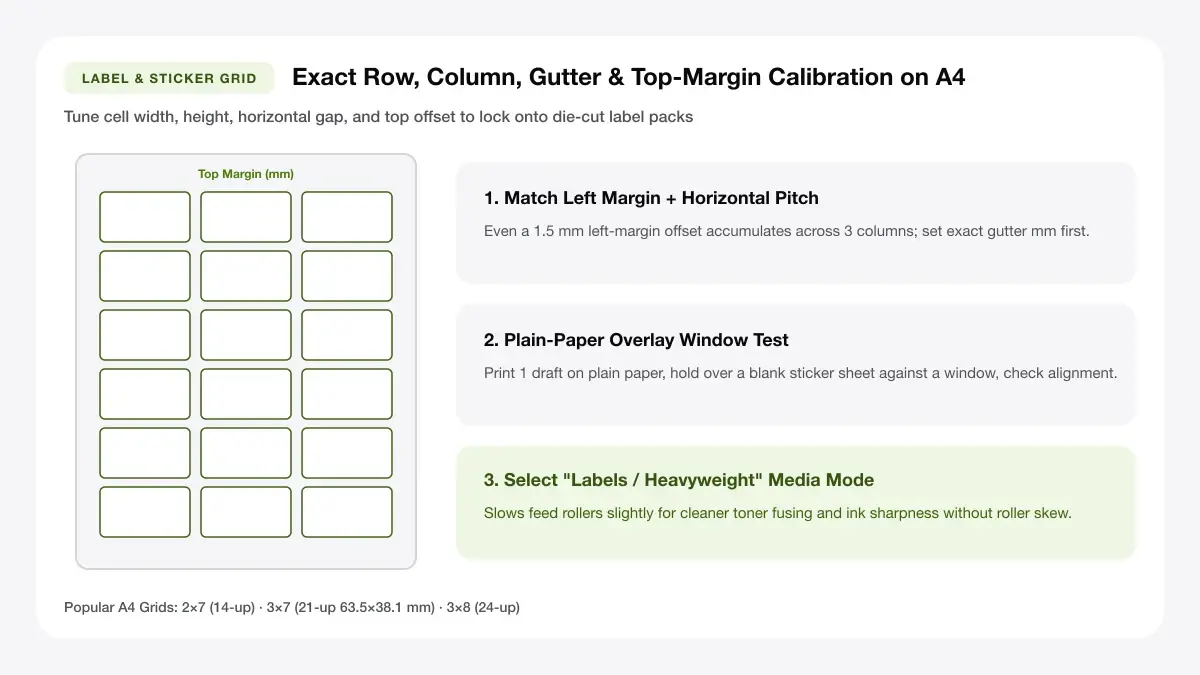
A4 Label & Die-Cut Sticker Sheet Matrix Dimensions
Match precut Avery A4/Letter label pitches or lay out kiss-cut sticker sheets with crisp dark borders and barcode/QR zones.
— PRINT SHEET STUDIO —
Tools in this collection
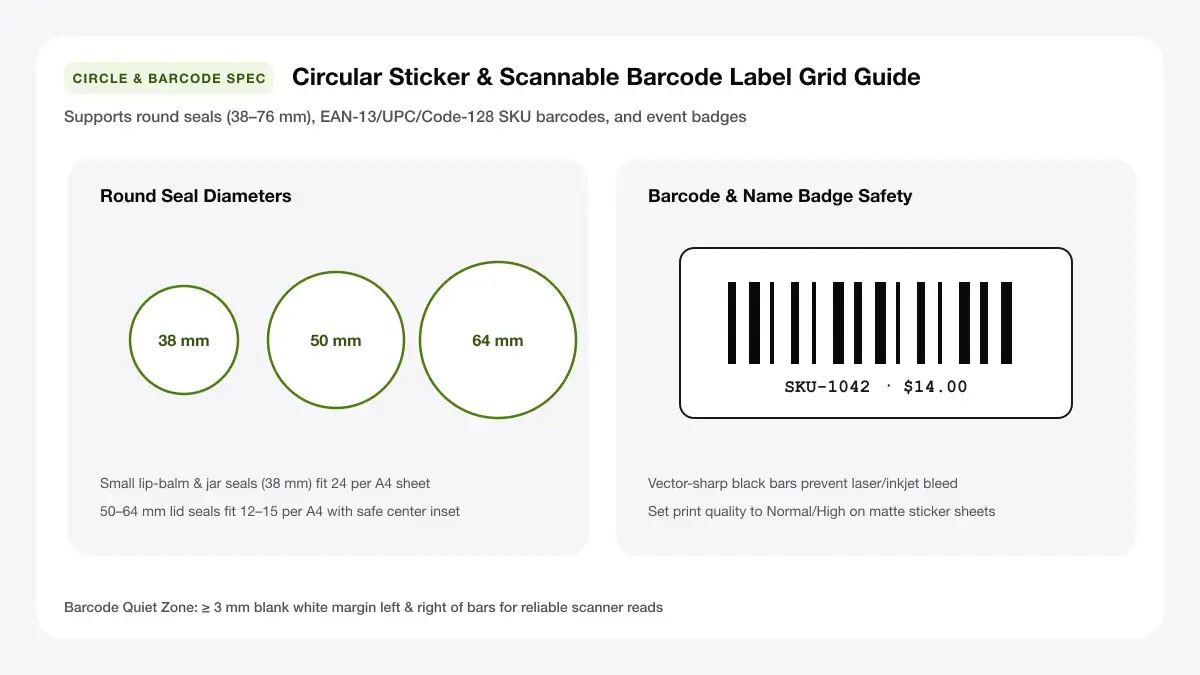
Circular Sticker & Lid Seal Diameter Packing Grid
Pack round seals and product stickers in clean circular grids sized from 25 mm tamper tabs to 63.5 mm jar toppers.
Printable label maker
Design rectangular or square labels with titles, subtitles, and borders and repeat them across A4 or Letter sheets.
A4 labels template
Enter custom rows, columns, margins, gaps, and label millimetres to match any unfamiliar pre-cut A4 label pack.
Round labels for printer
Fill A4 or Letter sheets with 25 mm, 40 mm, 50 mm, or 60 mm circles for seals, jar lids, and product stickers.
A4 address labels
Paste multiple recipient addresses to print a different address on every slot of a 14-up or 8-up A4 shipping sheet.
Barcode sticker A4 sheet
Generate scannable Code 128, EAN-13, or UPC-A barcode stickers with optional SKU names and prices on A4.
Sticker sheet maker online
Upload multiple sticker images onto an A4 sticker sheet with optional cut outlines for scissors or cutting machines.
Free name tag maker
Paste attendee names and roles to generate a full sheet of adhesive or badge-insert name tags in seconds.
Label sticker sheet maker: how to choose
Selecting the right label sticker sheet maker starts with matching your paper stock and printer type to the way the labels will be used.
Label paper versus sticker paper
Pre-cut label paper comes scored into exact rows and columns (like 2×7 or 3×8) so you peel each label straight off the backing. Full-sheet sticker paper has one unbroken adhesive surface, which is ideal for custom sticker shapes, round seals, and cutting machines.
Finishes and printers
Use matte uncoated sheets for crisp black barcodes and address text, glossy sticker paper for vibrant illustration colours, and printable vinyl when stickers need splash or oil resistance. Always confirm your sheet is rated for inkjet or laser before feeding it.
Grid size and sheet size
Measure an unknown label sheet with a metric ruler (top margin, left margin, label width, label height, and horizontal/vertical gaps) and enter those exact numbers into our A4 Labels Template.
— CHOOSE YOUR FREE GENERATOR —
Start Designing with Our Label Sticker Sheet Maker
Jump directly into our most popular browser-based sheet maker in this collection and export a millimetre-exact PDF in seconds.
Guides and how-tos
Learn how A4 sticker sizes, label paper coatings, Avery template codes, and bulk printing work together.
Print multiple labels or stickers on one page
Guides covering A4 sticker finishes, vinyl print-then-cut workflows, retail buying options, and multi-label tutorials.
Avery template numbers
Decode common five-digit template numbers and match compatible non-brand label sheets without extra software.
Common A4 label grid & sticker sheet chart
Reference the exact cell dimensions and per-sheet capacities for everyday A4 mailing, warehouse SKU barcode, name badge, and round vinyl sticker sheets.
| Sheet Code / Type | Grid Matrix | Label Size | Ideal Use Case |
|---|---|---|---|
| L7160 / J8160 Address | 3 × 7 (21 per A4) | 63.5 × 38.1 mm | Return mailers, pantry tubs, FBA boxes |
| L7163 / Shipping | 2 × 7 (14 per A4) | 99.1 × 38.1 mm | Parcel courier labels, folders |
| L7165 / Event Badges | 2 × 4 (8 per A4) | 99.1 × 67.7 mm | Conference name tags, large parcels |
| L7159 / SKU Barcodes | 3 × 8 (24 per A4) | 63.5 × 33.9 mm | Code 128 & EAN-13 inventory tags |
| Circle Sticker Matrix | 4 × 6 / 5 × 7 | 25 to 63.5 mm dia. | Tamper seals, jar lids, bakery closures |
| Full-Sheet Uncut Vinyl | Custom Grid | Up to 200 × 287 mm | Cricut Print-Then-Cut & custom kiss-cuts |
Choosing adhesive stock that lasts
Pair uncoated matte label packs with laser or office inkjet mailers, or upgrade to coated A4 printable waterproof vinyl paired with cold laminate when stickers face moisture, bottle coolers, or frequent outdoor handling.
Matching barcodes and attendee badges
Preserve clean white quiet zones around SKU barcodes on 24-up sheets and keep large, high-contrast attendee typography centered inside 8-up adhesive or cardstock event name tags.
Frequently asked questions
What is a label sticker sheet maker?
A label sticker sheet maker is a browser tool that lays out text, barcodes, names, or artwork across a grid matching physical label or sticker paper and exports a true-to-scale PDF.
Can I use any brand of label sheet?
Yes. Use our custom millimetre grid controls in the A4 Labels Template tool to match any pack of A4 or Letter labels regardless of brand.
How do I align labels?
Print one sheet onto plain office paper first, hold it behind your label sheet against a window, and adjust top or left margins by 1 mm if needed before printing on the real adhesive sheet.
— START PRINTING TODAY —
Create Your First Sheet with Printable Label Maker
Pick a tool from this hub to arrange your content on A4, Letter, or 4×6 sheets and download a crisp PDF immediately.