Sharp 300 DPI Vector Barcode Sticker Sheet on A4
Generate crisp black-and-white Code 128, EAN-13, or SKU inventory barcode sheets with mandatory quiet zones for instant scanner reads.
How to use the barcode label sheet maker in 4 steps
Turn raw SKU strings or retail GTIN numbers into a sharp multi-up sheet using the barcode label sheet maker above.
Step 1: Enter product codes
Paste a single SKU to tile across every label or enter separate product codes, titles, and prices per label slot.
Step 2: Choose barcode type and label size
Choose Code 128 for flexible alphanumeric SKUs, EAN-13 for 13-digit retail goods, or UPC-A for 12-digit North American retail items.
Common barcode types: EAN-13, UPC and Code 128
Use Code 128 for internal stockroom bins, warehouse locations, and custom SKUs; use EAN-13 or UPC-A when encoding official retail product numbers.
Label size and quiet zone
Every barcode needs blank white space (quiet zone) to the left and right of the outer bars. Never place borders or price text directly against the first or last bar.
Step 3: Fill the A4 sheet with labels
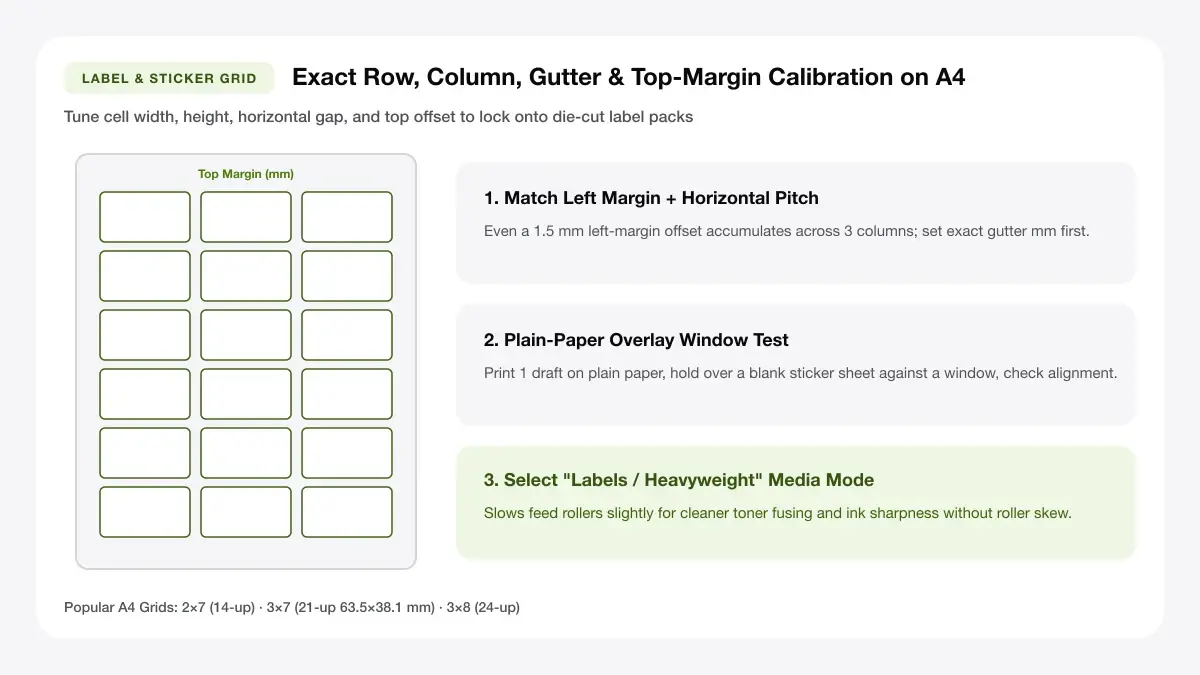
Select an A4 barcode label grid such as 3×8 (24-up) or 4×10 (40-up) so every sticker aligns cleanly on standard metric label packs.
Step 4: Download the PDF and print
Download the vector PDF and print at 100% scale with pure black ink on bright matte white label stock.
Barcode sticker A4 sheet: layouts and presets
Choose a barcode sticker A4 sheet configuration tailored to single-SKU cartons, mixed shelves, or retail hang tags.
Single product code
Fills all 24 or 40 labels on the A4 sheet with identical barcode artwork so you can label an entire production batch in seconds.
One barcode repeated across the sheet
High-density barcode sheets space 24 to 40 compact Code 128 or EAN-13 SKU labels per A4 sheet without crowding scanners.
Best for one SKU
Always keep pure black barcode bars on pure white label stock; tinted pastel backgrounds drop barcode contrast and slow checkouts.
Multiple SKU sheet
Place distinct product codes across consecutive label positions when preparing small sample assortments or boutique restocks.
A different code in each label
High-density barcode sheets space 24 to 40 compact Code 128 or EAN-13 SKU labels per A4 sheet without crowding scanners.
Best for mixed inventory
Always keep pure black barcode bars on pure white label stock; tinted pastel backgrounds drop barcode contrast and slow checkouts.
Barcode with price
Pairs a crisp scannable bar block with item title, variant, and unit price cleanly stacked above or below the human-readable digits.
Barcode plus product name and price
High-density barcode sheets space 24 to 40 compact Code 128 or EAN-13 SKU labels per A4 sheet without crowding scanners.
Best for retail shelves
Always keep pure black barcode bars on pure white label stock; tinted pastel backgrounds drop barcode contrast and slow checkouts.
— FREE INTERACTIVE SHEET GENERATOR —
Build & Download Your Barcode Sticker A4 Sheet PDF
Configure paper size, margins, gutters, and crop marks in real time using the barcode sticker a4 sheet workspace above—no account or watermark.
Barcode sticker paper A4: paper size and print settings
Getting clean scans from barcode sticker paper A4 depends on sharp black contrast and zero print-driver scaling distortion.
Page size and orientation
Verify A4 sheet grid pitch before printing FBA, warehouse, or retail price tags so partial rows stay completely usable.
Using A4
Select ISO A4 (210 × 297 mm) in both the tool and your printer dialog so tall columns on a 24-up or 40-up barcode sticker paper A4 sheet stay aligned.
Scale, margins and bleed
Auto-scaling can squeeze narrow barcode module bars below scanner optical resolution or misalign the 40-up label row.
Print at 100% or Actual Size
Print strictly at 100% Actual Size and disable economy ink-saver patterns that introduce faint white streaks across solid black bars.
Keep a safe margin
Preserve mandatory white quiet zones (>= 3 mm left and right of Code 128/EAN bars) inside every cut cell so lasers lock instantly.
Barcode sticker A4 size: recommended settings
Print at 600 DPI or higher on matte paper—glossy coatings scatter laser beams and cause misreads. Keep barcode sticker A4 size proportions locked at 100% scale so narrow bars never blur together.
Print quality and file format
Crisp high-DPI barcode rendering guarantees parallel bar edges that scan effortlessly with CCD, laser, or smartphone cameras.
PDF versus JPG output
Exported barcode PDF sheets hold uniform bar geometry across 40 identical SKU tiles without blurring sub-millimetre thin spaces.
Barcode label sheet generator for everyday projects
A browser-based barcode label sheet generator lets growing shops print accurate barcodes on demand without dedicated thermal hardware.
Retail and shop inventory
Tag packaged candles, stationery, coffee bags, and boutique apparel for instant POS checkout scanning.
Warehouse and stockroom labels
Print shelf-edge bin location codes and carton SKU stickers using Code 128 on durable A4 size barcode paper.
Tips for cleaner, sharper prints
Look up compatible 24-up, 40-up, and 65-up metric label sizes in our reference chart on
Scan a plain-paper test print with your warehouse handheld or phone camera app before peeling onto retail packaging.
Print barcodes in black on white for best scanning
Pure black (#000000) ink on bright white matte paper delivers the highest reflectance contrast for red-laser and camera scanners.
Keep the quiet zone around each code
Ensure at least 3 mm of uninterrupted white margin on both horizontal ends of the bars so scanners detect where each code starts and ends.
Test scanning a printed label before printing the sheet
Print a single plain-paper proof and scan it with your smartphone camera or checkout scanner before committing a full pack of A4 size barcode paper.
Frequently asked questions
Technical answers on Code 128 quiet zones, matte paper contrast, and small A4 inventory barcode yields.
Can I print barcode stickers on A4 sheets?
Yes. Any laser or high-resolution inkjet printer can output sharp scannable barcode sheets onto pre-cut A4 matte label packs when printed at 100% scale.
What size should a barcode label be?
Most retail Code 128 or EAN-13 stickers need at least 38 × 21 mm up to 63.5 × 33.9 mm so bars stay wide enough to read reliably without expensive industrial print heads.
Which barcode type should I use?
Choose Code 128 for custom alphanumeric SKUs, bin IDs, and internal tracking; choose EAN-13 or UPC-A only when encoding official 13-digit or 12-digit retail barcodes.
Can I print different barcodes on one sheet?
Yes. Use multi-SKU mode in the generator above to assign separate codes and captions to labels across a single A4 barcode sheet.
— EXPLORE MORE —
More print sheet tools and guides
Switch to A4 address shipping labels, generic multi-purpose templates, or the main Labels & Stickers hub.
A4 address labels
Format 14-up mailing and 8-up parcel shipping sheets to pair with barcoded stock.
A4 labels template
Dial in custom rows, columns, and margins for specialty unbranded label packs.
Printable label maker
Create general text, pantry, and small-shop packaging labels in your browser.
— PRINT-READY IN UNDER A MINUTE —
Ready to Print Your Barcode Sticker A4 Sheet?
Jump back to the live canvas workspace above to customize your layout and download a locked-scale PDF, or explore companion tools.