8-Up & 10-Up Printable Conference Name Tag Sheet
Format clean 8-up adhesive or cardstock event badges with oversized bold attendee names legible from 2 meters away.
How to use the name tag sheet maker in 4 steps
Prepare crisp, high-readability event tags for guests, students, or staff in four simple steps.
Step 1: Choose a name tag size
Select an 8-up or 10-up badge grid matching standard A4/Letter name tag inserts, adhesive sticker packs, or folded place cards.
Step 2: Type or paste your names
Fill every card with a blank template or paste multiple attendee names and job titles across distinct labels on the sheet.
Sticker and badge sizes
Standard pin-on and lanyard badge inserts typically measure 90 × 55 mm or 85 × 54 mm (10-up per sheet) or larger 99 × 68 mm (8-up).
Name list and bulk import
Switch to Multi-Label mode to enter distinct attendee names in each sheet position so you never have to duplicate pages manually.
Step 3: Pick a style and add a logo
Pick a clean dark header accent or minimal outline frame and include an event name, role, or table number.
Step 4: Download the printable sheet
Export a sharp vector PDF and print at 100% scale on heavy matte cardstock or adhesive badge sheets.
Free name tag maker: layouts and presets
Choose one of these free name tag maker layouts tuned for clear legibility across meeting rooms and event halls.
— FREE INTERACTIVE SHEET GENERATOR —
Build & Download Your Free Name Tag Maker PDF
Configure paper size, margins, gutters, and crop marks in real time using the free name tag maker workspace above—no account or watermark.
Free name tag maker: paper size and print settings
Keep lanyard inserts and peel-and-stick badges aligned with these quick free name tag maker settings.
Page size and orientation
Choose A4 cardstock (200–250 gsm) for rigid plastic badge holders or A4 fabric-safe adhesive sheets for peel-and-stick mixer tags.
Using A4 or Letter
Verify whether your clear badge sleeves or adhesive badge sheets follow A4 (210 × 297 mm) or US Letter (8.5 × 11 in) dimensions so cut borders align properly.
Scale, margins and bleed
Shrunk 8-up sheets fail to snap properly inside clear horizontal plastic event sleeves or perforated badge inserts.
Print at 100% or Actual Size
Disable shrink-to-fit in Acrobat or Chrome and print at 100% scale so 90 × 60 mm badge inserts drop straight into vinyl holders.
Keep a safe margin
Maintain a generous 4 mm top margin when hole-punching badges directly without sleeves so lanyard alligator clips never obscure text.
Print quality and file format
Vector attendee typography delivers bold charcoal contrast across dozens of unique names with zero fuzziness.
PDF versus JPG output
Batch-generated badge PDFs hold uniform name baseline alignment across every card in a multi-page seminar run.
Free name tag maker for everyday projects
Events of every size benefit from having a fast free name tag maker ready before doors open.
Conferences and workshops
Print first names large enough to read across a room, with company name or workshop track underneath.
School and club events
Make field-trip badges, parent-teacher night stickers, and sports-club registration cards in minutes.
Weddings and parties
Print minimalist seat place cards and matching guest favour tags on textured ivory or bright white cardstock.
Tips for cleaner, sharper prints
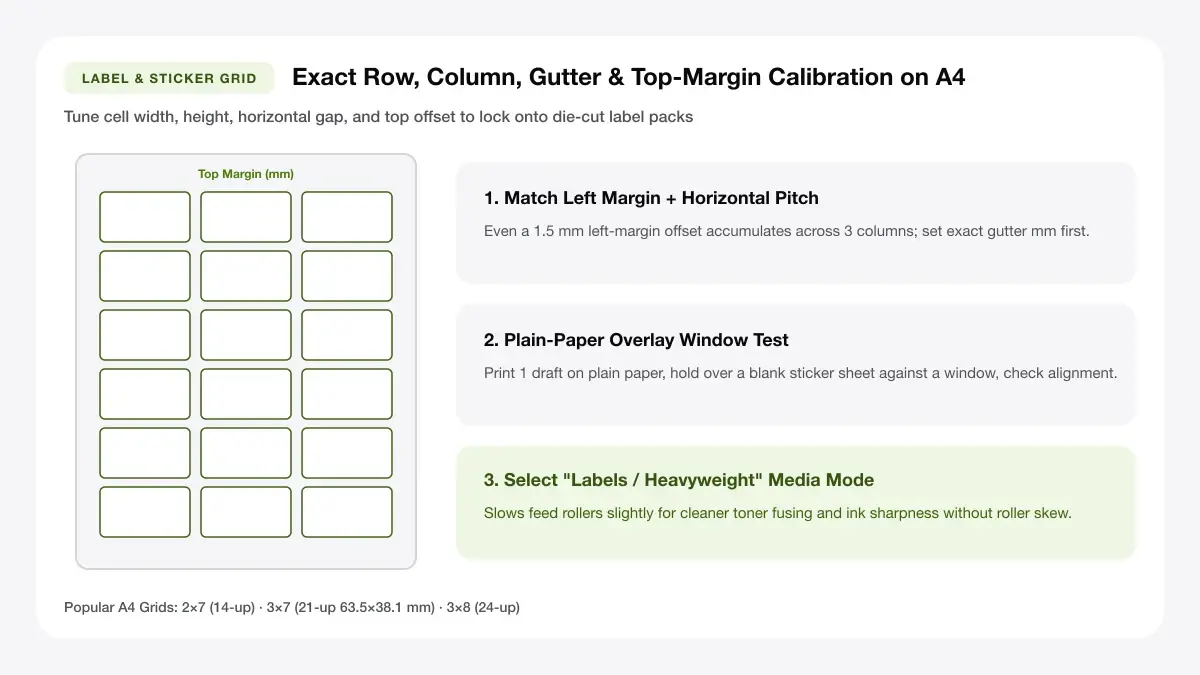
Need metric cell charts for 8-up and 10-up A4 sheets? Look up compatible formats in our guide to
Avoid silk-safe fabrics getting stained by peeling stick-on badges off cashmere, leather, or delicate wool—offer cardstock clips too.
Use 24 pt or larger for names
Small 11 pt text forces people to squint awkwardly at someone's chest. Keep first names bold at 20–28 pt so guests read them comfortably at conversation distance.
Add the company or role in a smaller line
Using a smaller 10–12 pt weight for titles, schools, or table numbers preserves clean visual hierarchy without crowding the card.
Print extras for late arrivals
Always run one spare sheet of blank framed tags with the same header so walk-in guests can write their name with a black marker and match everyone else.
Frequently asked questions
Tips for multi-attendee batch lists, 8-up lanyard sleeve sizing, and choosing peelable vs insert cardstock.
Is there a free name tag maker?
Yes. This free name tag maker creates multi-up PDF sheets directly in your browser with no sign-up, watermark, or email wall.
Can I print many names at once?
Yes. Toggle individual cell mode to place up to 8, 10, or 14 unique names on a single sheet, or generate extra sheets for larger guest lists.
What size is a standard name tag?
Most adhesive name tags measure around 99 × 67 mm (3.9 × 2.6 in), while plastic lanyard badge inserts typically use 90 × 55 mm or 85 × 54 mm (business-card size).
— EXPLORE MORE —
More print sheet tools and guides
Need matching table place cards, custom rectangular labels, or A4 sticker packs? Browse related sheets below.
Printable label maker
Build product, storage, and custom adhesive label sheets for everyday projects.
Sticker sheet maker online
Tile custom artwork and event seal stickers on full A4 sticker paper.
A4 labels template
Configure exact custom rows, columns, and gaps for any unbranded label pack.
— PRINT-READY IN UNDER A MINUTE —
Ready to Print Your Free Name Tag Maker?
Jump back to the live canvas workspace above to customize your layout and download a locked-scale PDF, or explore companion tools.