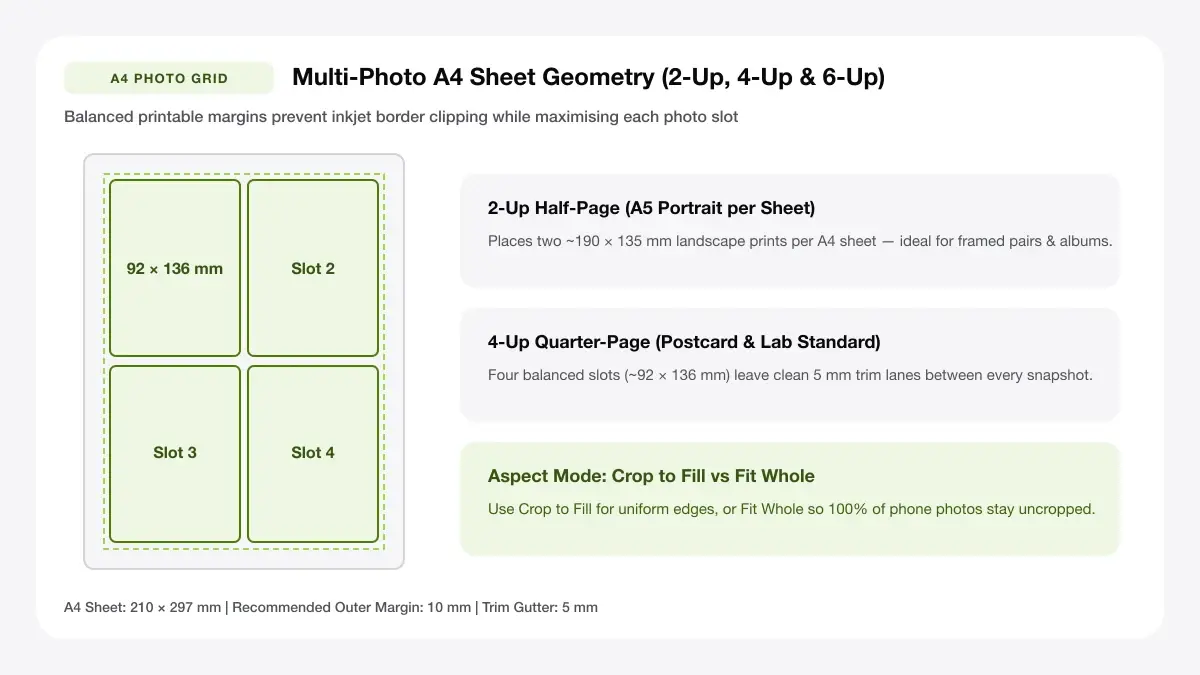
Why Two Horizontal 4x6 (4R) Photos Fit Cleanly on A4
Visualize how two borderless 4R (4x6 inch) photos fit comfortably on one A4 sheet with a 5 mm trim gap and why 3 cannot fit unscaled.
How to print 2 4x6 photos on one page of A4
The classic workflow for how to print 2 4x6 photos on one page relies on rotating your A4 canvas sideways (landscape) so two vertical 4×6 frames stand shoulder to shoulder.
The size maths: 4x6 versus A4
Always check millimetre widths first so images aren't silently shrunk below album dimensions.
102 x 152 mm vs 210 x 297 mm
A standard 4×6 inch (4R) print equals 101.6 × 152.4 mm (commonly rounded to 102 × 152 mm). Placing two side-by-side vertically across landscape A4 occupies 204 mm of the 297 mm sheet width and 152 mm of the 210 mm sheet height—leaving generous trim borders even on printers with wide non-borderless margins.
Two 4x6 photos on one A4 sheet
Set page orientation to Landscape, disable 'Scale to Fit', centre a 2-column grid with a 6–10 mm centre gutter, and turn on light outer crop ticks so trimming takes three clean slices.
Why two is the practical limit
Many users hope three 4×6 shots will squeeze onto A4. Geometrically, three 102 × 152 mm prints require 46,512 sq mm—still smaller than A4's 62,370 sq mm—yet cannot tessellate cleanly without overlapping borders.
Leftover space on the sheet
Printing two vertical 4×6s side by side in portrait orientation (top half + leftovers) would take 152 × 2 = 304 mm tall—7 mm taller than A4! Placing two across landscape leaves ~90 mm × 210 mm spare along the side, ideal for two extra wallet shots if desired.
4R size in A4 paper: what is 4R?
In Asia, Australia, and commercial photo labs worldwide, '4R size in a4 paper' simply refers to standard 4×6 inch prints arranged onto larger A4 sheets. Comparing 4r photo size in a4 paper formats ensures album sleeves match.
| Lab Code | Inches | Millimetres | Fit on A4 (210 × 297 mm) |
|---|---|---|---|
| 3R (3×5) | 3.5 × 5 in | 89 × 127 mm | Up to 4 prints (tight margin rotated) |
| 4R (4×6) | 4 × 6 in | 102 × 152 mm | 2 prints cleanly + spare margin strip |
| 5R (5×7) | 5 × 7 in | 127 × 178 mm | 1–2 prints (2 fills edge-to-edge) |
| 8R (8×10) | 8 × 10 in | 203 × 254 mm | 1 print per A4 sheet |
4R, 4x6 and 6x4 are the same size
Lab names 4R, 4×6 (US), and 6×4 (UK) all describe the identical 102 × 152 mm physical frame.
Portrait versus landscape naming
Listing the smaller number first (4×6) usually describes portrait orientation, whereas 6×4 implies landscape—both fit identically inside the same glass photo frame rotated 90 degrees.
Common 4R photo paper sizes
You can buy pre-cut 4×6 in (4R) postcard packs for instant borderless prints, OR cut two 4R prints out of bulk A4 glossy sheets using our multi-photo PDF layout when learning how to print multiple 4x6 on one page.
— FASTER BROWSER ALTERNATIVE —
Skip Manual Setup — Use Our Free Print 2 Photos on One Page
Instead of wrestling with printer driver scaling or manual table margins, generate a locked 100%-scale PDF directly in your browser using our print 2 photos on one page tool.
4x6 picture arrangement for printing on A4
A tidy 4x6 picture arrangement for printing avoids crooked scissor lines and protects white borders evenly.
Portrait and landscape arrangements
Even when a photo was captured horizontally, rotate the frame 90 degrees inside your layout grid so both slots stand upright side by side on landscape A4. This guarantees uniform alignment along top and bottom cut lines when solving how to print two 4x6 pictures on one page.
Add margins and cut guides
Rather than pressing photos butt-to-butt (0 mm gap), keep a slim space between the two frames so minor blade wobble never slices into neighbouring sky or hair.
Safe 3 mm margins
Leaving at least a 3–5 mm gutter and light outer crop marks lets one vertical slice bisect both photos evenly, leaving crisp borderless or thin-white-framed 4×6 keepsakes.
Tools for printing multiple 4x6 photos on A4
Stop dragging photos around Word docs—browser builders automate multiple 4x6 photos on a4 placement immediately.
4x6 photo template
Lock exact 4×6 in or multi-up 4R sheets cleanly in PDF without aspect distortion.
A4 photo sheet maker
Switch effortlessly between 2-up 4×6s and 4-up or 9-up thumbnail sheets in seconds.
Frequently asked questions
Quick answers on 4r photo size in a4 paper geometry and home cutting.
How many 4x6 photos fit on an A4 sheet?
Two full-sized 4×6 in (102 × 152 mm) prints fit cleanly on one A4 sheet in landscape orientation with ample trimming margin—enough room beside them for one or two tiny wallet photos if needed.
Can I print 4x6 photos on A4 paper at home?
Yes. Lay out two 4×6 frames on an A4 PDF at 100% scale, print onto glossy or satin A4 inkjet photo paper, and slice cleanly with a paper trimmer or ruler.
What is the difference between 4R and 4x6?
None in physical dimension: 4R is simply the international photo-lab designation for a 4 × 6 inch (102 × 152 mm) print.
— PUT THIS WORKFLOW INTO ACTION —
Build Your Sheet with Print 2 Photos on One Page
Generate a print-ready PDF with exact margins, custom gutters, and hairline crop marks right now—completely free and with no sign-up.