Step-and-Repeat Single Image Across Full Print Sheet
Upload one photo once and tile identical wallet prints, event tickets, or product thumbnails cleanly across an entire page.
How to use the duplicate photo sheet maker in 4 steps
Repeat one image 4, 6, 8, 9, 12, or 16 times across a single page in one step-and-repeat pass.
Step 1: Upload a single photo
Select your master portrait, logo badge, QR flyer, or product card once—the repeat engine populates every slot instantly.
Step 2: Set how many copies you need
Choose how many identical copies you need per sheet (from 2 large flyers to 16 crisp wallet-sized giveaways).
Auto-fill the sheet with copies
Flip sheet orientation between Portrait and Landscape to test which grid yields higher print yield per A4 page.
Set an exact number of copies
Set 0 mm hairline touch cuts when using a rotary trimmer cleanly, or add 3–5 mm spacing between thick bordered badges.
Step 3: Choose the copy size and spacing
Lock exact aspect preservation so copying an image 9 or 16 times never squashes logos or portraits out of round.
Step 4: Download the sheet and print
Download one compact PDF containing your entire repeated sheet and save it for instant future re-runs.
Print picture multiple times on one page: layouts and presets
Step-and-repeat presets tile one high-res image edge-to-edge without duplicating gigabytes of redundant file uploads.
Wallet-size copies
Fills a 3×3 grid on A4 or Letter so you can print multiple copies of photo on one page at classic wallet dimensions.
About 8 to 9 copies per A4 sheet
Best for gifts and school forms
Small square copies
Tiles 12 compact slots per sheet—ideal for button badges, fridge magnets, and square craft inserts.
Square crops in a tight grid
Best for badges, magnets and stickers
Large repeated prints
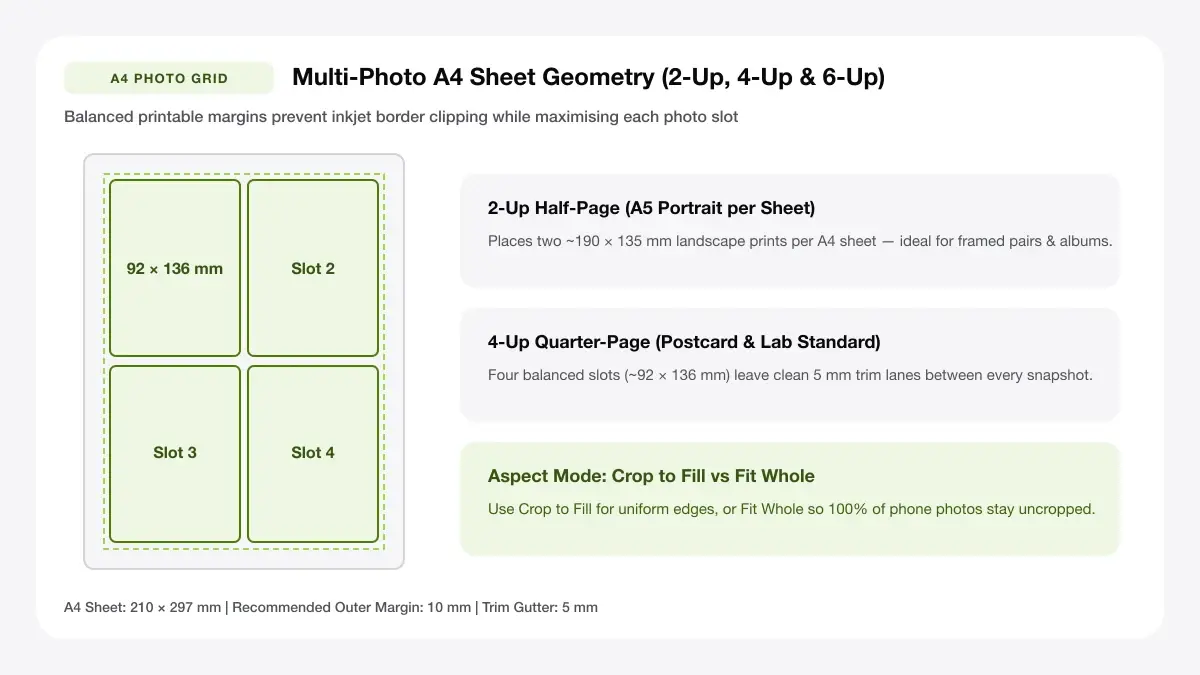
Repeats one large flyer, artwork, or portrait 2 or 4 times on a single sheet for fast cutting.
Two to four copies per page
Best for crafts and displays
— FREE INTERACTIVE SHEET GENERATOR —
Build & Download Your Print Picture Multiple Times on One Page PDF
Configure paper size, margins, gutters, and crop marks in real time using the print picture multiple times on one page workspace above—no account or watermark.
Print one picture multiple times on one page: paper size and print settings
Step-and-repeat grids need identical millimeter pitch on every copy—make sure print drivers do not auto-shrink outer rows.
Page size and orientation
Using A4 or Letter
Double check tray settings (A4 photo matte vs Letter glossy) so repeated wallet sheets match your cardstock pack.
Scale, margins and bleed
Print at 100% or Actual Size
Disable Fit to Page so repeated wallet prints, locker stickers, or loyalty cards keep consistent exact measurements.
Keep a safe margin
Allow a 5–6 mm tray grip margin around the sheet perimeter so printer rollers never drag ink across corner duplicate tiles.
How to print same photo multiple times on one page: recommended settings
Enable Cut marks and set Spacing to 5 mm so a paper trimmer glides straight between repeated copies without clipping borders.
Print quality and file format
PDF versus JPG output
Step-and-repeat PDF reuses one clean embedded image resource rather than saving lower-quality screenshots.
Print multiple copies of photo on one page for everyday projects
Repeating one picture per sheet eliminates repetitive copy-pasting inside Word or slide decks whenever handing out dozens.
Cutting multiple copies of one portrait
Batch tiling turns cutting multiple copies of one portrait into a fast one-sheet job rather than printing wasteful single pictures.
Printing the same logo or product photo
Batch tiling turns printing the same logo or product photo into a fast one-sheet job rather than printing wasteful single pictures.
Making identical craft or badge inserts
Batch tiling turns making identical craft or badge inserts into a fast one-sheet job rather than printing wasteful single pictures.
Tips for cleaner, sharper prints
Quick resolution and trimming reminders when tiling one master photograph many times per sheet.
Start from the highest-resolution original
Taking time to "start from the highest-resolution original" ensures the twelfth cut copy looks just as balanced and unclipped as the first.
Add thin cut guides between copies
Taking time to "add thin cut guides between copies" ensures the twelfth cut copy looks just as balanced and unclipped as the first.
Avoid enlarging small photos past their native size
Taking time to "avoid enlarging small photos past their native size" ensures the twelfth cut copy looks just as balanced and unclipped as the first.
Frequently asked questions
How to print a picture multiple times on one page?
Click Choose Photo, upload your single picture, choose 9-up, 12-up, 4-up, or 2-up above the workspace, and export the print-ready PDF.
How to print duplicate images on one page?
This tool duplicates your uploaded file across every slot automatically—no copying or pasting needed.
How to print same image multiple times?
Pick a preset count, turn on Cut marks for easy trimming, and print the downloaded PDF at Actual Size (100%).
How many copies of one photo fit on A4?
Depending on copy size, 2 half-page copies, 4 quarter-page prints, 9 wallet copies, or 12 small badge prints fit cleanly on A4.
— EXPLORE MORE —
More print sheet tools and guides
arrange photos for printing
Need different photos on one sheet instead of copies? Use our multi-photo grid.
print 2 photos on one page
Print two photos side by side or stacked vertically.
passport photo sheet maker
Locked 35 × 45 mm and 2 × 2 inch sheets for official IDs.
app to arrange photos for printing
Review free vs paid software options for multi-photo print sheets.
— PRINT-READY IN UNDER A MINUTE —
Ready to Print Your Print Picture Multiple Times on One Page?
Jump back to the live canvas workspace above to customize your layout and download a locked-scale PDF, or explore companion tools.